Switch panels without losing your customers.
Export from your PerfectPanel admin, upload the files in your new panel, and your customers arrive with their order and payment history. Your new panel is already stocked.
Already running a panel? Bring your customers across.
Five steps, in your own time.
Open your mysocials panel
Free on Starter. It opens stocked with the built-in catalogue, so there is no service list to rebuild.
Export from PerfectPanel
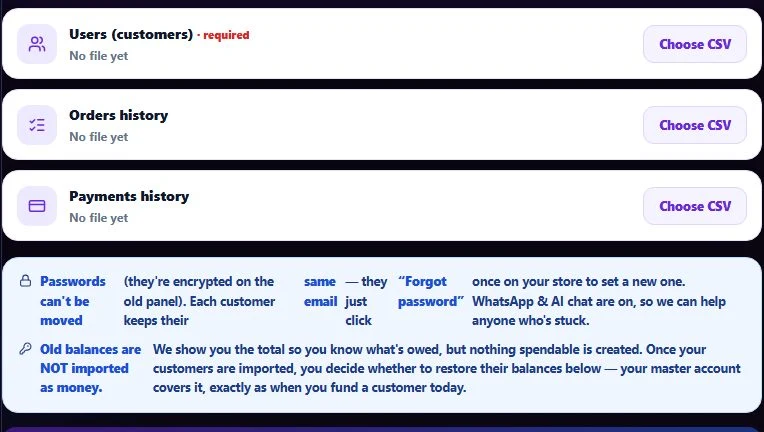
In your PerfectPanel admin, export Users (required), Orders and Payments as CSV files.
Upload in “Move your panel”
Upload Users (required), then Orders and Payments. Each customer keeps the same email.
Your customers reset their password once
Passwords cannot be moved. Each customer uses “Forgot password” the first time they sign in to your new store.
Restore old balances when you are ready
Balances are not imported as money. They are parked, and you choose whether to restore them — in bulk or per customer.
Migration questions.
The importer reads PerfectPanel exports today: Users (required), Orders and Payments, as CSV files from your PerfectPanel admin.
Yes — each customer comes across with the same email. Passwords cannot be moved, so each customer sets a new one once with “Forgot password”.
No balance is imported as money. Old balances are parked, and you choose whether to restore them — in bulk or per customer.
No. Your old service list stays behind; your new panel opens stocked with the built-in catalogue at your markup. Order and payment history comes across as records.