One order, end to end.
Three parties, always in the same places: your customer orders from your storefront, you run it from your admin, and mysocials supplies it. Run the order, or step through it.
Your customer — adaboosts.mysocials.store
You — Ada Boosts · your admin
Press “Run an order” to follow one order through your panel — or choose a step.
Behind your panel
2,000 · for Ada Boosts
- Received
- Processing
- Completed
Your customer — adaboosts.mysocials.store
↓ order — charged at your price to their store wallet
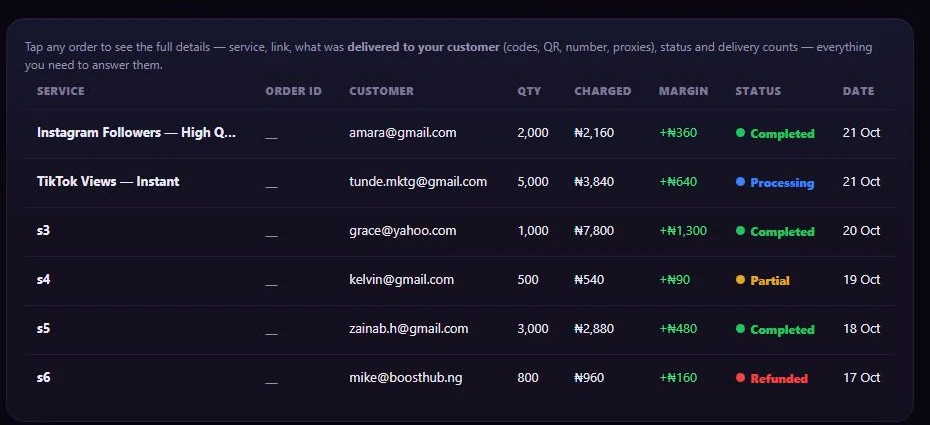
You — Ada Boosts · your admin, Orders (actual size)
↓ supplier cost, from your master wallet
2,000 · for Ada Boosts
- Received
- Processing
- Completed
↑ delivered — the status returns to your customer
Press “Run an order” to follow one order through your panel — or choose a step.
You’re watching from outside.
Run a sample panel. Follow every naira.
Follows one order on the built-in mysocials supply. Orders on your own providers (Pro) are supplied and charged by that provider, not from your master balance.
The same three positions as the order above: your customer, you, and mysocials supply.
into your Flutterwave account—Nothing yet — they top up in step 3.
kept by Flutterwave, not by mysocials—Set by your gateway.
the customer’s, in your store—Appears once the payment is confirmed.
this order, at your price—Recognised when they order.
paid to mysocials—Paid from your master wallet as the order is sent.
your supply float with mysocials₦10,000Pays supplier costs only. On our supply, profit is never credited here.
Now you’re operating the demo.
Sent, held, partly delivered or refunded — handled for you.
Choose a state: when it happens, and what happens to the customer’s store wallet, your master wallet and your gateway account (built-in supply, sample ₦1,200 order).
Your master balance paid the supplier cost and the order was sent. Its status and progress update without anyone pressing a button.
- Customer’s store wallet
- −₦1,200Charged at your price.
- Your master wallet
- −₦1,000Supplier cost, paid to mysocials.
- Your gateway account
- unchangedHolds the customer’s original payment.
Now it becomes yours.
From an empty panel to your first sale.
Starter is ₦0, forever — you only fund the supplier cost of what you sell.
Open your panel
Choose a name and your free address — yourname.mysocials.store. It opens stocked with the built-in catalogue.
Connect a payment gateway
Flutterwave, Paystack, Korapay, Cryptomus, PocketFi, or bank transfer with receipts you approve. Customers pay into your account.
Fund your master balance
It pays each order’s supplier cost as the order is sent. Orders wait in Held if it runs short — nothing is lost.
Set your prices
One markup for everything, or one per product line; turn any line on or off.
Brand it and share it
Name, logo, colours and one of five looks; then share your link or connect your own domain.